
Diagnose real failures
Start with recorded behavior instead of guessing which instruction or model to change.
AI evaluation for production agents
Turn real traces into evaluation datasets, compare prompts and models, catch regressions, and require approval before promotion.
7 days of Pro. No card required. Then keep 20 free traces per month.
Pre-launch tests cover the cases you thought to write. Real traffic brings new wording, missing context and unexpected combinations. Capture those failures, make them repeatable, and use the same evidence to test a proposed fix.
The workflow
Open Traces to inspect recorded inputs, outputs, model, latency and cost where available. Find a recurring answer-quality failure in your own workflow.
Inspect Console tracesChoose eligible gateway text traces or a supported dataset, check sensitive data and define what a good answer must do. Keep a fixed dataset for the comparison.
Prepare evaluation dataUse Lab to evaluate the current behavior against that dataset and explicit criteria. Resolve missing or ineligible evidence before comparing.
Define the baselineChange one thing, then inspect candidate and incumbent results on comparable cases. Look for regressions as well as quality, latency and cost.
Compare the evidenceReview the proposal and its limits. Promotion is a separate decision: approve a supported change only when the evidence justifies it.
Review the promotion boundaryStart with recorded behavior instead of guessing which instruction or model to change.
Reuse comparable cases and task criteria to see where a candidate improves, stays the same or gets worse.
Evaluation produces evidence. A reviewer decides whether a change should reach production.
Inside the Console
Actual Console components, rendered with clearly labeled sample data. These show the controls you use, not a measured result.
Music: Happy Beats & Business Moves Vol. 12 by Sascha Ende, CC BY 4.0. Excerpt mixed with fades.
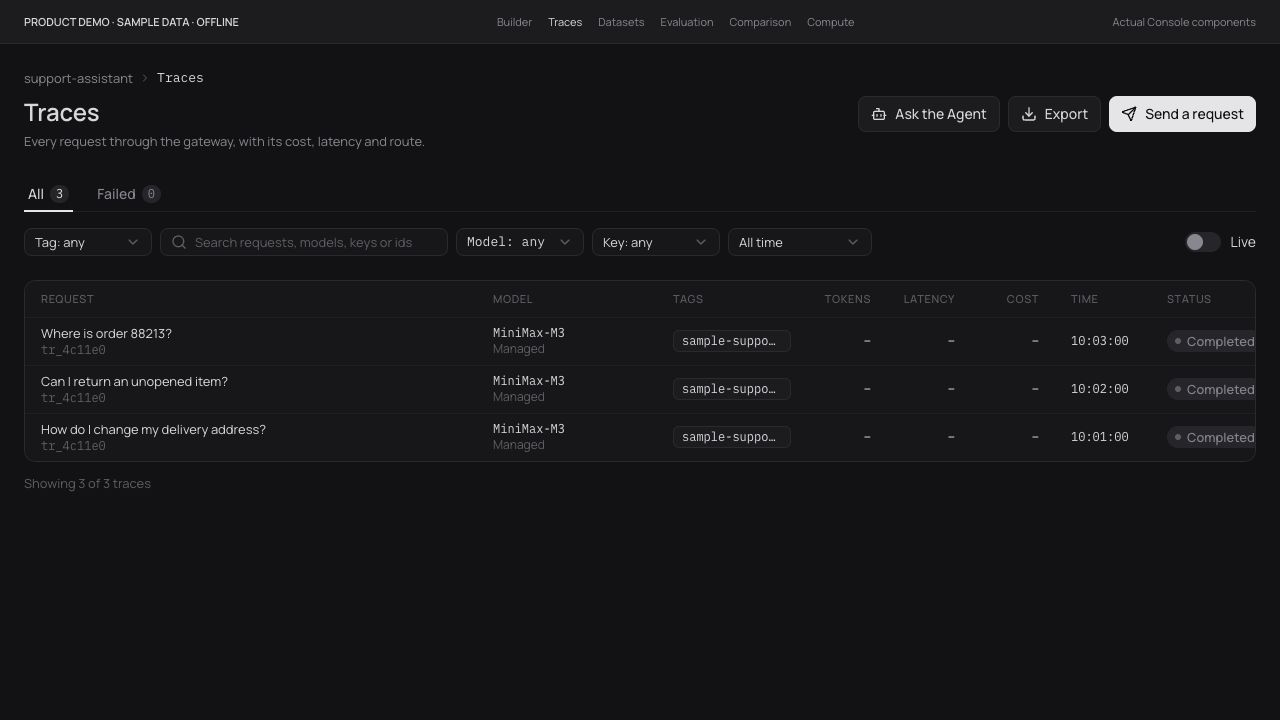
The Console trace list keeps model, status and timing together. Field availability depends on how the request was captured.
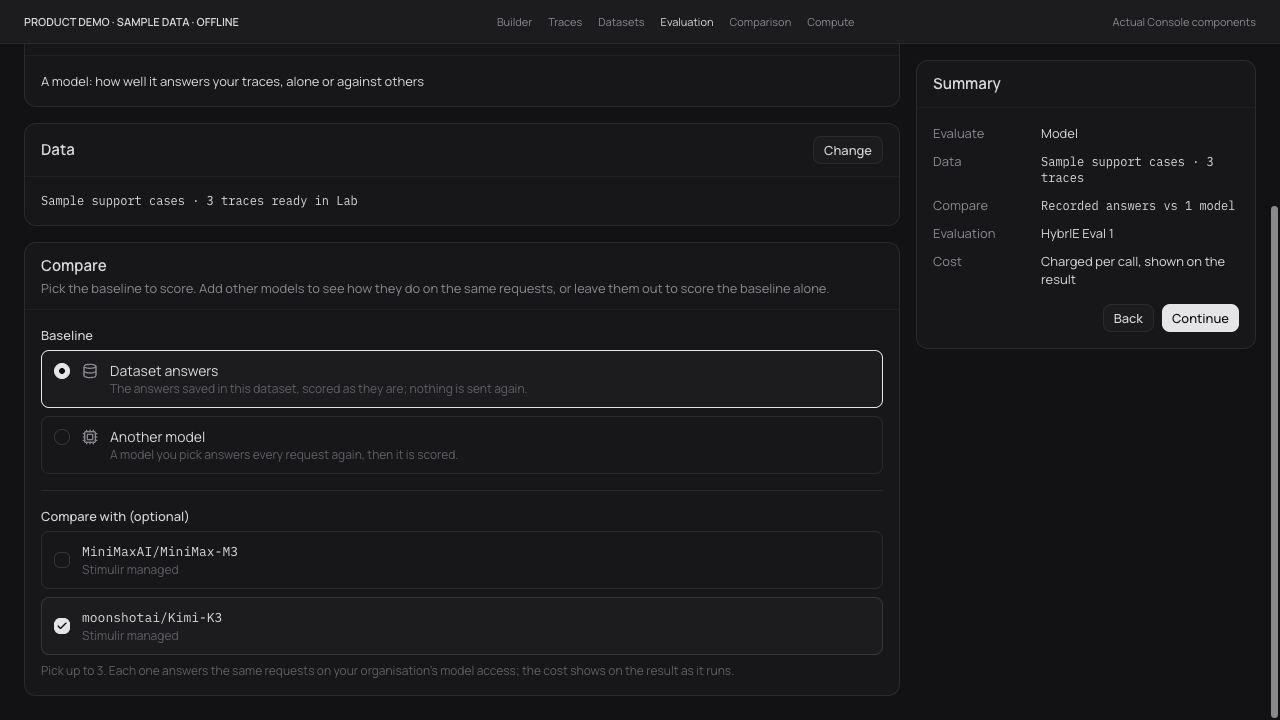
Choose the task and candidates in Lab. A setup screen is not a measured improvement claim.
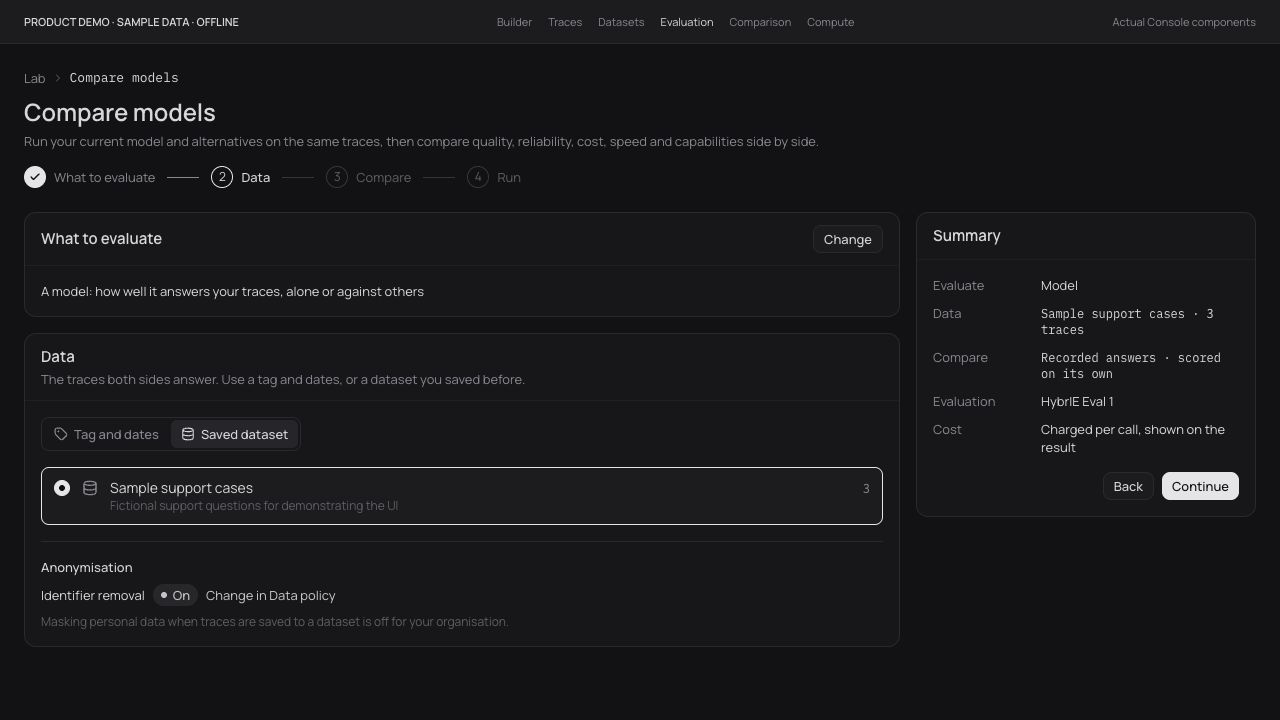
Keep dataset preparation, evaluation and the promotion decision visible as separate steps.
Build with control.
Improve with evidence.
Pricing
One workspace to build, trace, evaluate and approve. Start with 7 days of Pro, then choose what fits.
Regularly $100/month. Keep $50/month for your first 12 paid months, then $100/month.
From a first visual agent to a better production workflow, with evidence behind every change.
No card required. After the trial, keep 20 free traces per month unless you upgrade.
Included with paid Pro. Additional usage billed separately.
Try Pro for 7 days with no card required: build an agent or connect an existing workflow, inspect traces, evaluate a change and approve the better version. A small starter allowance covers managed-model usage.
Customer-controlled compute peers during the trial are available by arrangement. The $25 monthly managed-model credit starts with paid Pro. If you do not upgrade, continue on Free with 20 traces per month.
Your subscription covers the workspace, builder and improvement tools within your plan’s limits. Paid Pro includes $25 in managed-model credit each month; additional managed-model usage is billed separately.
With your own provider keys, you pay your provider directly with no Stimulir model markup. Your own compute carries no Stimulir GPU charge; normal platform limits still apply. If Stimulir provisions rented compute for you, provider costs and any orchestration margin are disclosed separately.
The first 10 paying teams keep Pro at $50 per workspace per month for their first 12 paid months. After that, Pro is $100 per workspace per month. The free trial does not start your 12 paid months.
All prices in USD, excluding applicable taxes.
30 minutes with the founder. Bring one live AI failure; leave with an improvement plan.